Getting started
Opening a company file, using the main menu, understanding accounting terminology, finding records, and navigating Accessory forms.
A practical operating guide for setup, daily bookkeeping, reporting, and AI-assisted support. Use this page for the short version, and download the full manual when you need the complete reference.
Before entering live transactions, complete the setup wizard and confirm the company file, fiscal year, chart of accounts, and default posting accounts. Accessory is built around normal accounting controls, so setup quality matters.
 AI-guided setup
Opening a company file, using the main menu, understanding accounting terminology, finding records, and navigating Accessory forms.
Customers, quotes, orders, invoices, payments, finance charges, sales reports, and receivable review.
Vendors, purchase orders, bills, payments, payables review, and supporting reports.
Items, warehouses, stock activity, costing, adjustments, transfers, and inventory reports.
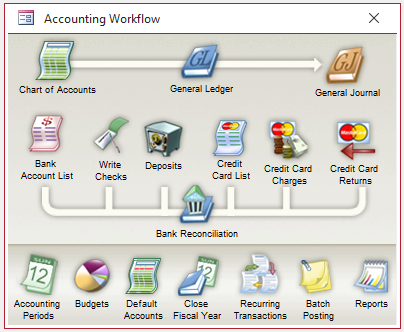
General ledger, journal entries, bank activity, periods, trial balance, financial statements, and audit review.
Company preferences, users, security, reports, maintenance utilities, licensing, and support tools.
Accessory AI can explain screens, help find the right workflow, review setup state, and draft actions. Accounting posts should still go through the Accessory forms and posting routines so the normal validation, audit trail, and approval steps remain intact.
The full owner manual is the complete long-form reference. It includes the original accounting engine documentation and remains useful for detailed workflows, screen behavior, reports, and system manager functions.